Everything you need to know about podcast transcript and podcast transcription
How to get a transcript of a podcast
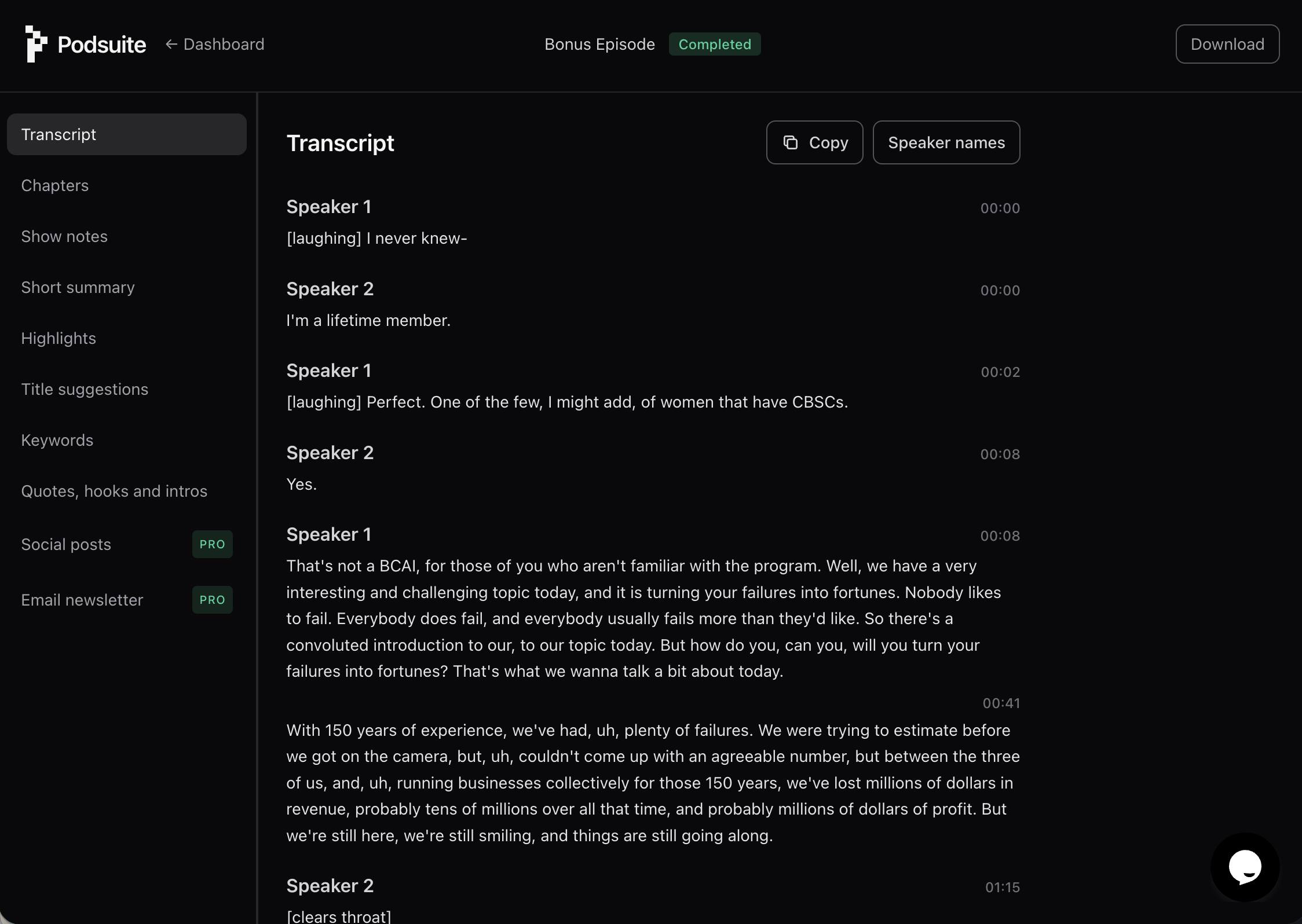
To get a transcript of a podcast, you need podcast transcription software that turns audio into text. Upload your episode (or a link, depending on the tool), and the service will transcribe podcast audio to text using speech recognition. The best tools also do speaker diarization—so you get "Speaker 1" and "Speaker 2" instead of one long block. With Podsuite, you can set display names so your transcript reads like a real conversation. From there you can copy the transcript, export it as a file, or use it to generate show notes, an SRT file for video, and more.
Why use a podcast transcript generator?
A podcast transcript generator saves hours of manual work. Transcripts for podcasts make your content searchable, accessible, and reusable. You can pull quotes for social posts, feed the text into a blog or newsletter, and improve SEO for podcast episodes because search engines can index the text. If you repurpose episodes to YouTube, a transcript from podcast audio doubles as the basis for captions—many people use a YouTube transcript tool or YouTube transcription tool to add subtitles; with Podsuite you get both a readable transcript and an SRT file creator output so you have a ready-made YouTube transcript for your video.
Transcript podcast audio for every platform
Whether you host on Spotify, YouTube, or your own site, you need a way to transcript podcast content. A Spotify podcast transcript generator isn’t built into Spotify itself—you use a third-party tool to transcribe podcast to text, then you can add the transcript to your show notes or website. Similarly, a YouTube video transcript tool or transcript for YouTube often starts from the same source: your podcast audio. Upload once, get a transcript from podcast, then export as plain text for show notes or as an AI SRT file for your YouTube transcription tool workflow. One transcript, multiple uses.
SRT file maker and subtitle export
An SRT file maker outputs timestamped subtitle lines that video players and platforms understand. Podsuite is a podcast transcript generator that also works as an SRT file maker: we generate phrase-based SRT from your podcast transcript so each line is a natural phrase. That makes it a practical choice for podcast-to-video repurposing and clean captions. You get the same podcast transcript you use for SEO and show notes, plus a separate SRT file—no need for a separate SRT file creator or YouTube transcription tool.
SEO for podcast: transcripts help you get found
SEO for podcast content works best when search engines can read your episode. A transcript gives them full text to index. Publish the transcript on your site (or key sections in your show notes), and you improve the chance that people searching for your topic find your episode. Get podcast transcript text once, use it in your CMS, in your episode page, and in any blog or article you derive from the episode. Podcast transcription software that also gives you chapters, keywords, and summaries—like Podsuite—helps you turn that transcript into more SEO-friendly content without extra steps.
Turn podcast into transcript and more
When you turn podcast into transcript, you unlock repurposing. The transcript is the base for show notes, quote graphics, blog posts, and social copy. Podcast transcription software that stops at raw text is useful; software that adds speaker labels, exports SRT, and plugs into show notes and other assets is better. Podsuite transcribes your episode, then uses that same transcript to drive chapters, keywords, summaries, and optional assets like blog and newsletter—so you get a transcript for YouTube, a transcript from podcast for your site, and structured content for promotion, all from one upload.
Ready to transcribe podcast episodes and get a podcast transcript with speaker labels and SRT file maker export?
Start transcribing