Get more from your podcast
The ultimate AI podcast tool—transcripts, show notes, clips, chapters, blog posts, and social copy. Upload once, get everything you need to publish and grow.
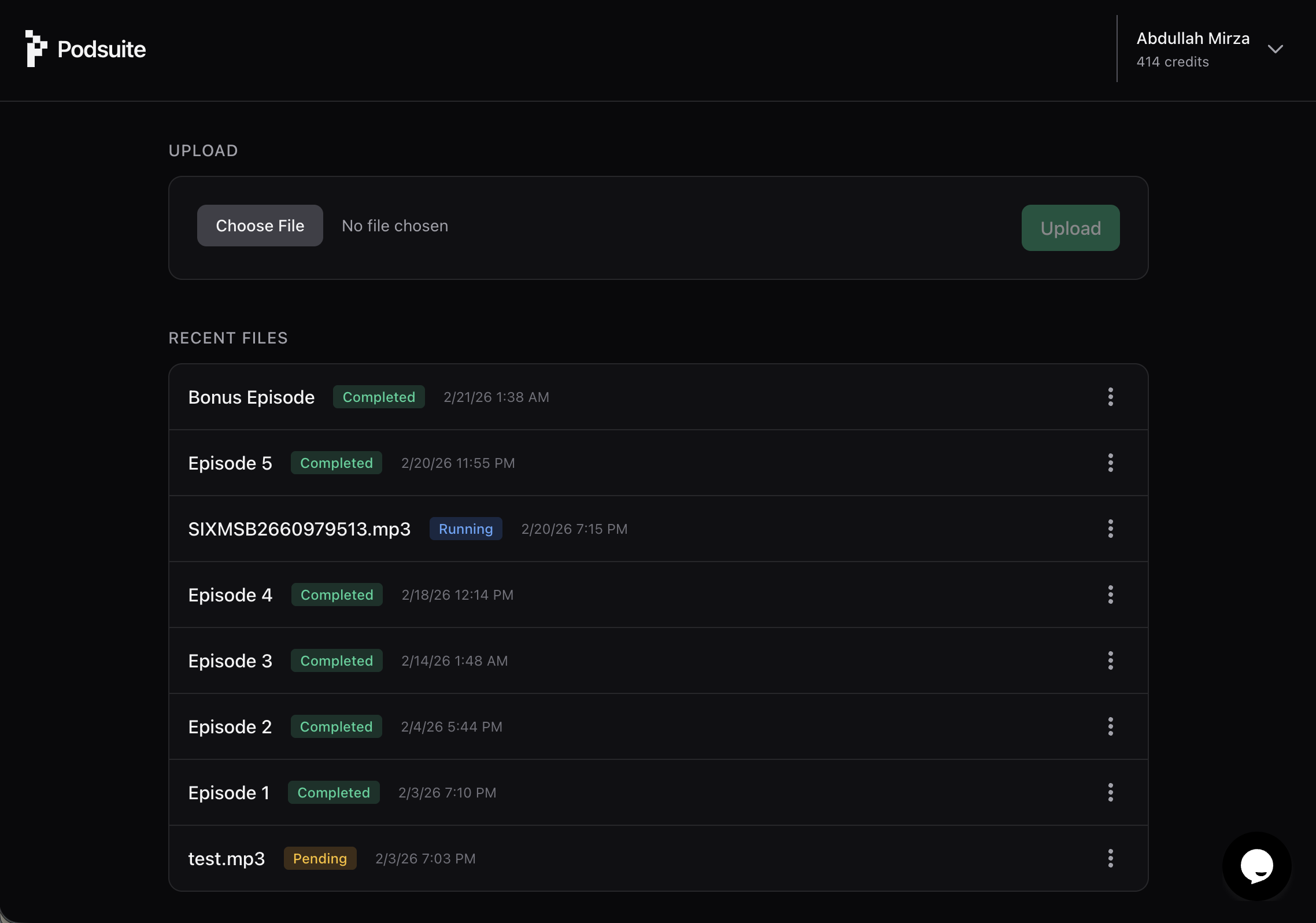
What you get
Do more in less time
Save hours of manual work every episode. One upload turns your podcast into a transcript, show notes, chapters, blog article, social posts, and clips—ready to publish.
Transcript
Accurate podcast transcription with speaker diarization. Export as text or SRT file for video captions and YouTube.
Learn more →Show notes
Publish-ready podcast show notes and summary generated directly from your episode. No blank page, no manual writing.
Learn more →Chapters
Segment your episode into core topics with AI-generated podcast chapters. Ready for Spotify and YouTube.
Learn more →Titles & keywords
Podcast title generator and SEO keyword suggestions so your episodes get discovered on Spotify, Apple Podcasts, and Google.
Learn more →Highlight clips
AI podcast clips with timestamps—shareable moments and quote hooks ready for Reels, Shorts, and TikTok.
Learn more →Blog article
Turn your podcast into a blog post automatically. First-person, on-brand, and fully editable.
Learn more →Social posts
Platform-native posts for LinkedIn and X, written in the speaker's voice from your episode content.
Learn more →Upload Once. Get Everything.
Get everything
- Podcast transcript
- SRT file for video captions
- Podcast chapters
- Show notes & summary
- Podcast title ideas
- SEO keywords
- Blog article
- Social media posts
- Email newsletter
- Clip timestamps & quote hooks
Use cases
Scale creative faster and better
Podcasters — Turn your show into a content engine
Turn your show into a content engine
- ✓Transcribe podcast audio to text automatically
- ✓Generate podcast show notes without manual writing
- ✓Create AI podcast clips for social promotion
- ✓Turn every episode into a blog post and newsletter
- ✓Build a content library from every episode you publish
Ready to share
Engage your audience
Create AI-suggested podcast clips from your content—in minutes. Highlight moments and quote hooks with exact timestamps so you know where to cut.
Instant clip suggestions
Podsuite finds the most shareable moments in your episode and gives you timestamps. Export podcast clips for Reels, Shorts, or TikToks without re-listening to the whole recording.
See highlights & clips →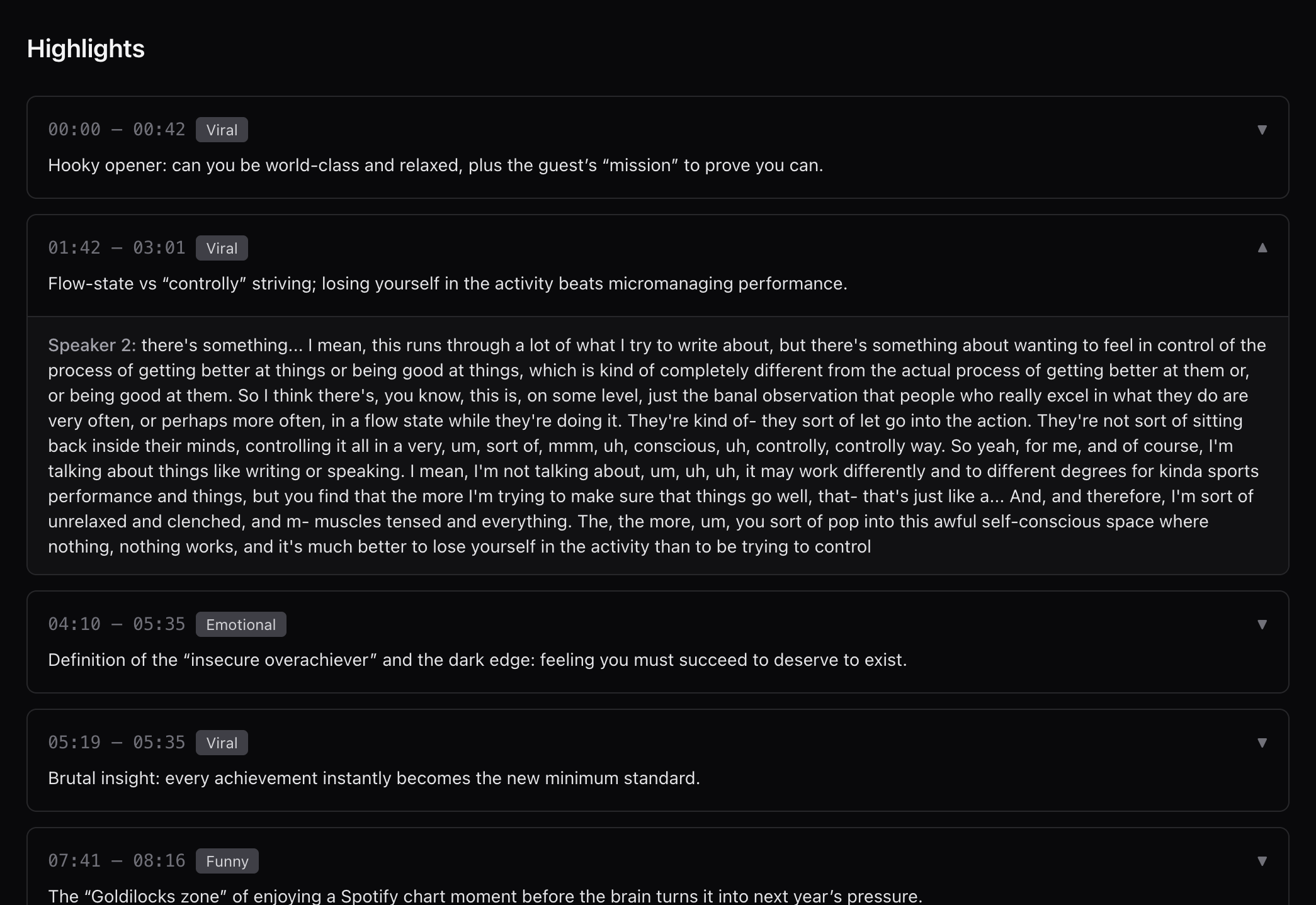
Calculator
Calculate your time savings
See how much time you can save with Podsuite.
How many hours of content do you create per month?
Built For Podcasts. Not Just AI Prompts.
What makes Podsuite different from generic AI transcription tools.
Built for podcasts
Not a generic chatbot. Every output is designed around how podcast episodes actually work.
Structured workflow
No blank page. Upload, review, export. Clear steps every time.
Episode-tailored output
Tone and style follow your show, not a generic template.
Chapter-aware
Writing and clips respect your episode structure automatically.
Timestamp intelligence
Clip suggestions and quote hooks tied to real moments in the episode.
What used to take 6–8 hours now takes 10 minutes.
| Task | Manual workflow | With Podsuite |
|---|---|---|
| Transcribe podcast audio | Manual (1.5–2h) | Auto |
| Write podcast show notes | Manual (1–1.5h) | Done |
| Turn podcast into blog post | Manual (1.5–2h) | Done |
| Draft social posts | Manual (30–45m) | Done |
| Find podcast clip moments | Manual (30–60m) | Suggested |
Support
Frequently asked questions
We use professional-grade speech-to-text tuned for podcast audio. You can correct speaker names and any line; corrections flow into all generated content.
MP3, WAV, M4A, and other common podcast formats. Upload from your computer or link from your host.
Yes. Your episodes and outputs are yours. We don't train on your content or share it.
Everything is editable—transcripts, show notes, blog posts, and clips. Export to your tools or copy from the app and tweak as needed.
Yes. Audio is extracted and transcribed automatically, with SRT file export for adding captions to your video. Video support is expanding.
Try Podsuite today
Get started free. Transcribe your podcast, generate show notes, chapters, a blog post, social content, and clips—from one upload.
Try it for free →No credit card required.